# requestSupport
This intent is compatible with both the [Billing API](/billing) and the [Payments API](/payments).
Connect will open a context-aware support experience for the user. This is only relevant in **Gigs-led support setups**, where Gigs handles support on behalf of your platform. The user's subscription details are loaded automatically, and they would need to select a topic, describe the issue, and submit it to the Gigs support team. Gigs follows up via the selected channel (i.e. email) with a confirmation and resolution.
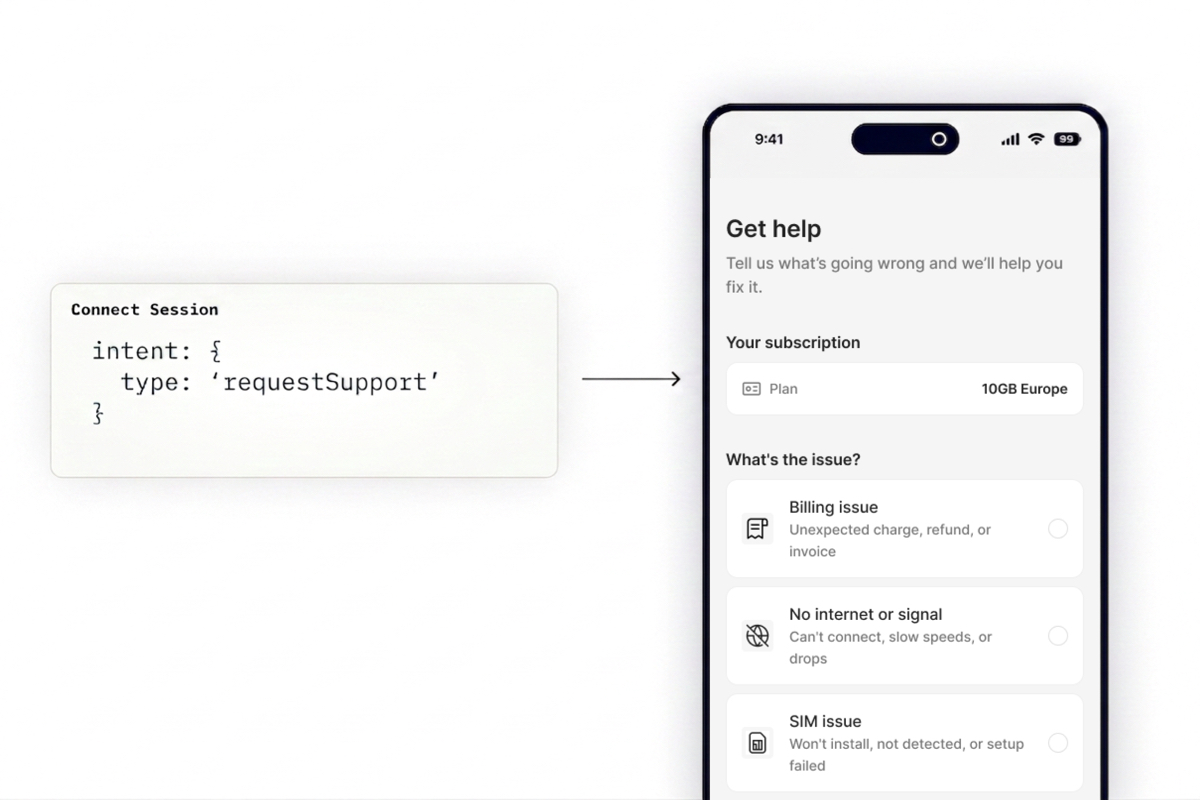
The request accepts a `requestSupport` object with an optional `subscription`, alongside standard Connect Session fields like `callbackUrl`.
```bash
$ curl --request "POST" \
--url "https://api.gigs.com/projects/${GIGS_PROJECT}/connectSessions" \
--header "Content-Type: application/json" \
--header "Authorization: Bearer ${GIGS_TOKEN}" \
--data '{
"callbackUrl": "https://example.com",
"intent": {
"type": "requestSupport",
"requestSupport": {
"subscription": "sub_0SNlurA049MEWV2gSfSxi00xlPIi"
}
},
"user": "usr_0U2ViuFW0Z7P8Y2S1L76mfADMT6m"
}'
```
| Parameter | Description |
| --- | --- |
| `subscription` | The subscription to open the support form for. We recommend passing it whenever possible to simplify the experience for users who might have multiple subscriptions. If omitted, the user will be prompted to select which subscription their request is about. |
| `callbackUrl` | When provided, a back button will be shown in the UI. The URL is also invoked once the user completes or exits the session. |
**Note:** Unlike most intents, `requestSupport` also works for ended subscriptions, meaning a user can request support for a subscription even after it has ended.
## Intent Behavior
The `requestSupport` session can be initiated in two ways:
- **Via API call (recommended)** — your backend creates an authenticated session by passing the user ID and subscription to the Gigs API. The user is redirected to the session and arrives already authenticated.
- **Via Connect Link** — a static Connect Link can be created for you by Gigs. You can use it as is or append the subscription ID as a URL parameter and share the link with the user. The user authenticates via OTP sent to their email before reaching the support form. Note that this requires Gigs to already have the user's email on file. Example:
```text
https://.gigs.com/link/?subscription=
```
The support experience inside the session is controlled by Gigs. We aim for the Support Connect Session to be a self-service hub — a single place where users can resolve common issues on their own and only reach a human when they actually need one. As Gigs adds these capabilities, they become available in the session automatically, without any changes required on your end.
## Where to go from here
- Read the [Connect Sessions API Documentation][create-connect-session]
- Reach out to [support@gigs.com](mailto:support@gigs.com) for assistance
[create-connect-session]: /connect/connect-sessions#create-a-connect-session