# viewEsimInstallation
This intent is compatible with both the [Billing API](/billing) and the [Payments API](/payments).
Will open Connect on the eSIM Installation Guides page. Upon successful installation, if a `callbackUrl` was provided, users will be redirected back to it when clicking the `Done` button.
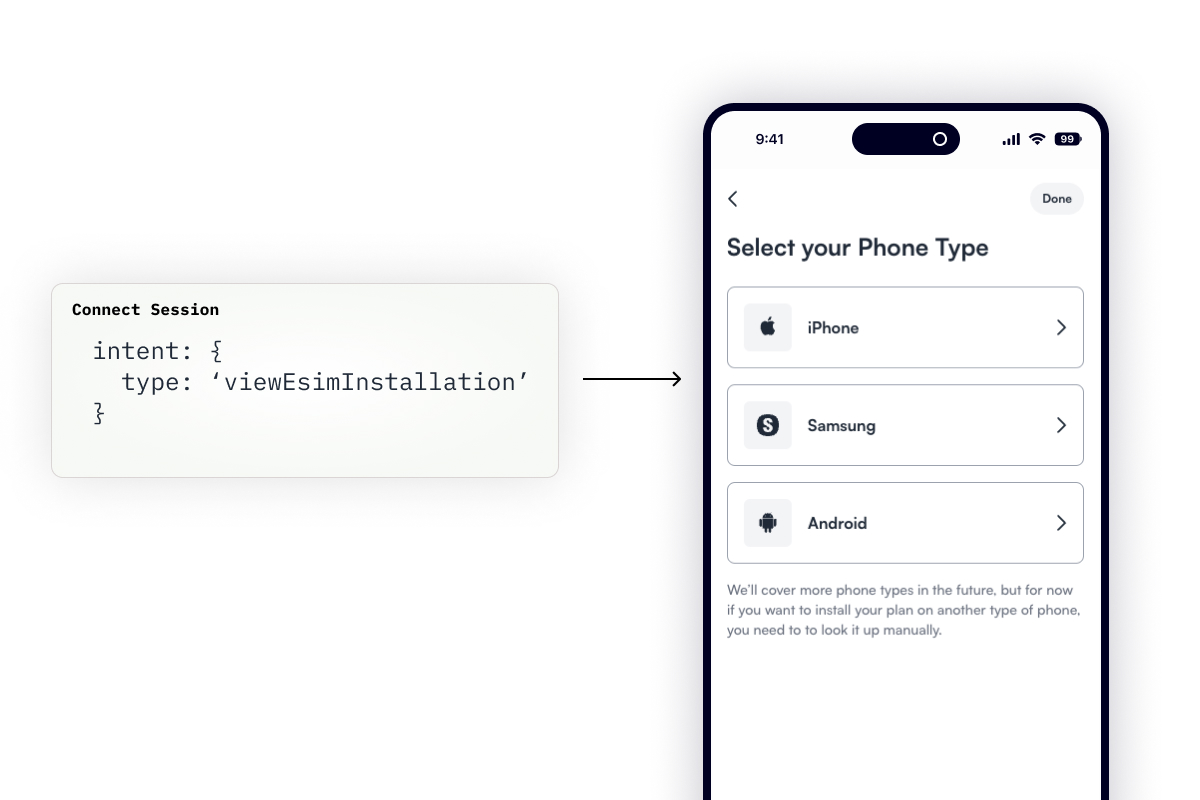
The request expects a `viewEsimInstallation` object that defines the `subscription` for which to show the installation guides.
```bash
$ curl --request "POST" \
--url "https://api.gigs.com/projects/${GIGS_PROJECT}/connectSessions" \
--header "Content-Type: application/json" \
--header "Authorization: Bearer ${GIGS_TOKEN}" \
--data '{
"callbackUrl": "https://example.com",
"intent": {
"type": "viewEsimInstallation",
"viewEsimInstallation": {
"subscription": "sub_0U32VAxJ0Z7P8Y40mBAnOP9LPhEr"
}
},
"user": "usr_0U2ViuFW0Z7P8Y2S1L76mfADMT6m"
}'
```
## Where to go from here
- Read the [Connect Sessions API Documentation][create-connect-session]
- Reach out to [support@gigs.com](mailto:support@gigs.com) for assistance
[create-connect-session]: /connect/connect-sessions#create-a-connect-session